Booking.com It’s long been more than just a hotel booking site. In 2026, it’s become an entire ecosystem of travel experiences, from car rentals to attraction tickets and flights. But with great power comes complexity – how do you actually find the lowest price? And what do you do when something goes wrong?
In this guide, we will reveal the most advanced strategies for leveraging the platform, including loyalty program updates and new consumer protections.
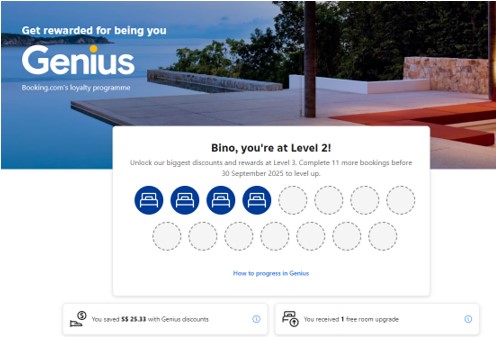
Discount Program – Genius: How to become a “preferred traveler” with lifetime discounts?
Genius program It’s the heart of booking savings. The big advantage? Once you reach a certain level, it’s yours for life (Lifetime Access), with no need to renew.
Pro tip: Look for the blue Genius logo in the search results. If you’re at level 2 or 3, you can filter results to only show hotels that offer free breakfast—a savings that can add up to dozensof dollars a day for a family.
2. Tricks to lower the price (beyond Genius)
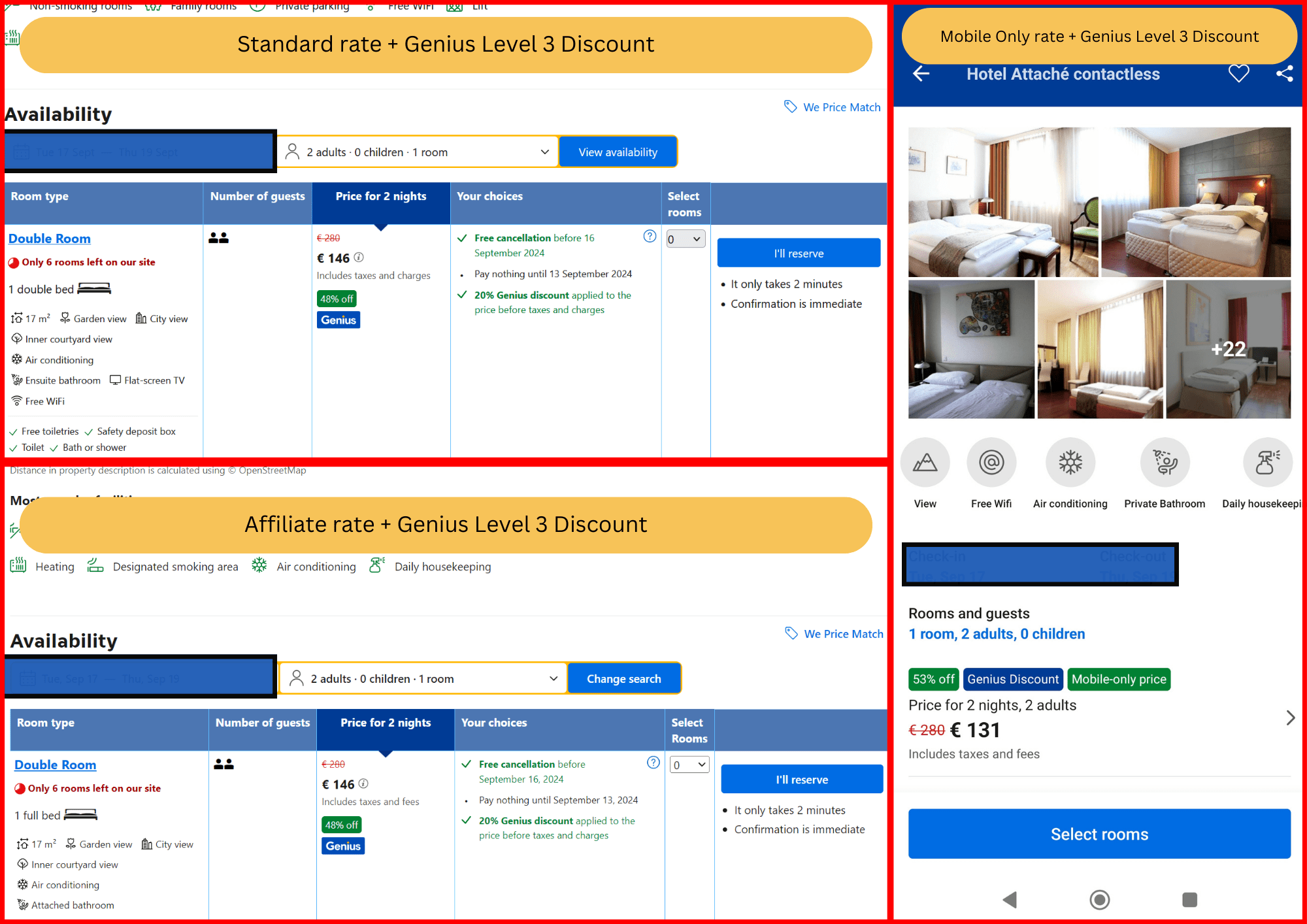
Mobile-Only Prices: Booking.com offers an additional 10% discount to users who book through the mobile app. Sometimes the price on mobile will be significantly lower than on a computer.
Price Match: Found the exact same room on another website for a lower price? Booking.com promises to match the price up to 24 hours before check-in. Make sure the conditions (cancellation, breakfast) are exactly the same.
Seasonal Deals: Keep an eye out for “Getaway Deals” that are usually published at the beginning of each season and offer discounts of 15% or more.
3. Technical conduct and safety (how not to fall into the trap)
The Technical Guide: How to Manage Your Order Like a Pro
Many people think that once they click “Check In”, control passes to the hotel. This mistake costs money and convenience. Here’s how to use the platform’s technical tools:
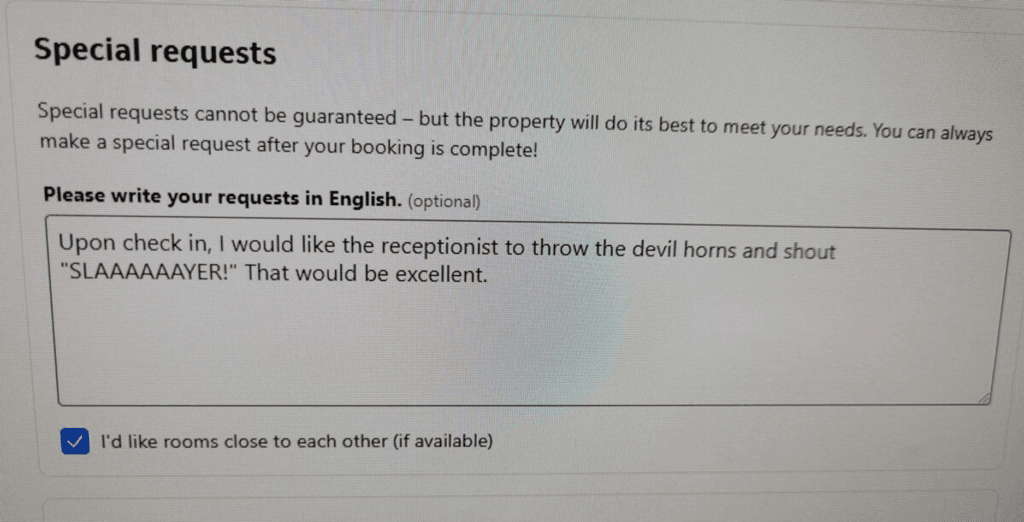
A. Special requests – don’t wait for check-in
The Booking.com system allows you to send requests directly to the hotel’s management system.
How to submit? Go to “My Reservations” > Select a reservation > “Manage Reservation” > “Contact the property”.
What to request? It is recommended to indicate preferences such as: a room on a high floor (for quiet), a large double bed (King Size), or a baby crib.
Top tip: Make sure you have received written confirmation within the website’s Chat. In the event of a dispute upon arrival, this documentation is binding on the hotel with customer service.
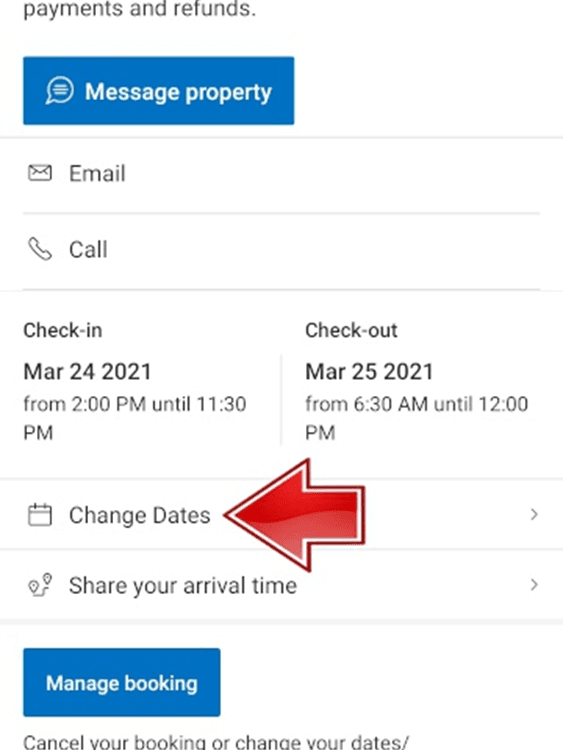
B. Flexibility is the name of the game: smart date changes
Sometimes plans change. Instead of canceling and re-searching (which can increase prices), use the “Change Dates” tool.
The technical aspect: The system will automatically scan and show you the price difference.
Please note: If your rate is “flexible“, the change will usually be immediate. If the rate is fixed, the system will contact the hotel to request an exception.
C. Information security and fraud prevention (Phishing)
This is a critical section for 2026. Scammers are trying to send WhatsApp messages or emails impersonating the hotel and asking for credit information.
The iron rule: Never reply to an external email!
Where do you update? Any update of payment methods or filling out check-in forms (such as passport details) must be done exclusively through the secure link within “My Bookings” on the official website. Booking will not ask you for credit card details in a simple text message.
D. Customer Service and Refund – How to Win an Argument?
If the room doesn’t look like the pictures or you received poor service, you are entitled to protection.
Immediate documentation: Take a photo of the problem (mold, unclean room, lack of air conditioning).
Report to the property: You must give the hotel a chance to fix it. Talk to the reception and send them a message through the Booking app as well (so that there is written documentation).
Open a Case: If not resolved, contact “24/7 Customer Service”. Booking acts as a mediator, and with proper documentation, it can issue a refund (Partial or Full Refund) even if the hotel refuses.
I will repeat the warning again, as the site is popular, so are the attempts at fraud. Here are the new rules for 2026:
Payment security: Never send credit card details in a private message to the hotel (Chat) or the accommodation owner! If the hotel requests payment outside the Booking system – report it immediately to customer service. All payments must be made through the secure link in “Manage your reservation”. (I know a real case from a customer who was stung like this out of carelessness and lack of knowledge).
4. Much beyond accommodation, complementary tourism services
The power of Booking in 2026 is in synchronization. When you book a hotel, the system tailors a suggestion for you for the rest of your trip:
car rental: Full integration with Rentalcars that allows management of the entire trip in one place.
flights: Smart price comparison with price drop notifications for the destination you were looking for.
experiences: Booking tickets to museums and tours with the option of free cancellation up to 24 hours in advance – critical for those who want to maintain flexibility.
In conclusion: How to maximize your next vacation?
Don’t be a “tourist of yesteryear.” Use filters, reach Genius Level 3 for maximum discount, and always check the price in the app before closing.
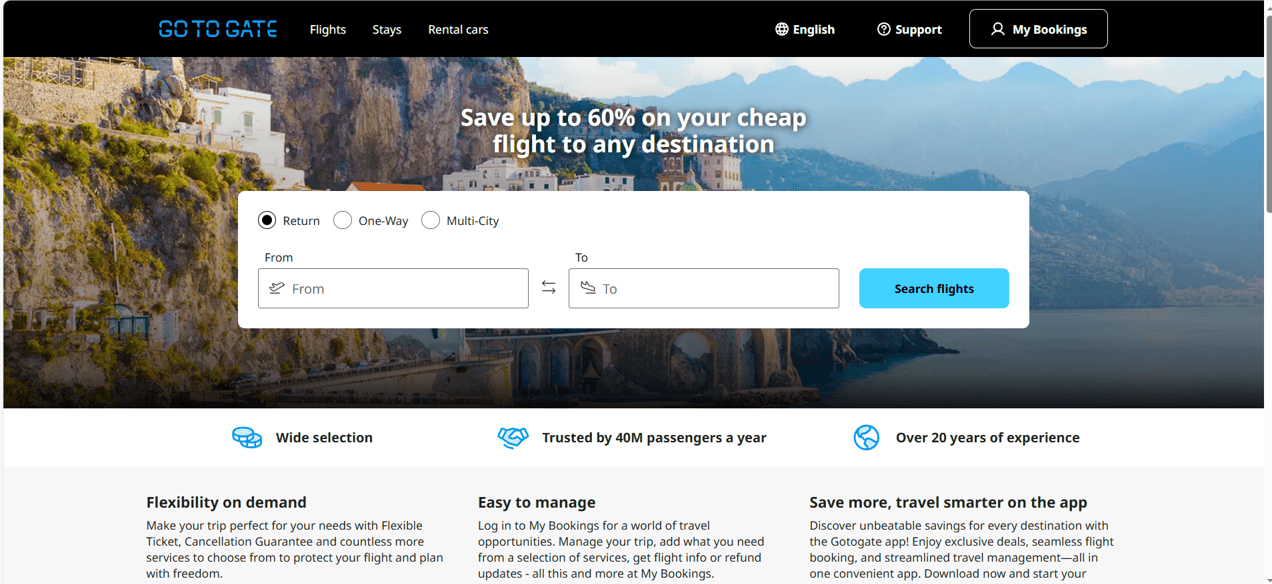
Is GoToGate reliable? Read our 2026 expert guide on how to book cheap flights, avoid hidden fees, and handle refunds. Everything you need to know before you book.


Leave a Comment